










Explore News
Maintenance
How to Make Your E-Bike Disc Brakes Last Longer
With the growing popularity of electric bikes, more riders are realizing the importance of braking safety. Whether you're commuting daily or cruising on the weekend, your e-bike's disc brakes play a critical role in your ride experience. But how much do you actually know about them?
Let’s dive into the basics of disc brakes, common issues you may face, and some practical tips to make your e-bike braking system last longer and perform better.
What Are Disc Brakes?
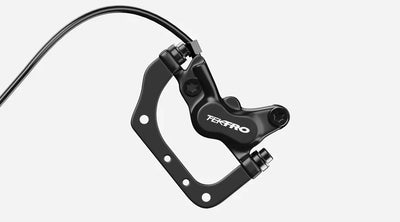
Disc brakes work by using brake pads to squeeze a rotor (disc) attached to your wheel. This friction slows the wheel down. There are two main types used in e-bikes:
1. Hydraulic Disc Brakes
Use brake fluid to transfer force.
Offer strong stopping power with minimal effort.
Great for performance and steep terrains.
Downside: More complex and requires regular maintenance to prevent leaks and keep the seals in good condition.
2. Mechanical (Cable-Pull) Disc Brakes
Use a brake cable to apply pressure on the disc.
Easier to maintain and more budget-friendly.
Suitable for city commuters and casual riders.
Downside: Can lose braking power over time due to cable stretch or friction in the cable housing.
🔍 Common Disc Brake Problems on E-Bikes
Even with regular use, disc brakes can develop issues. Here are three of the most common problems and how to fix them:
1. Brakes Feel Too Tight or Too Loose
If your brakes feel sticky or don't engage at all, the brake cable tension is likely off.
Fix: Adjust the tension knob near the brake lever.
Turn counterclockwise to tighten.
Turn clockwise to loosen.
2. Squeaky or Rubbing Brakes
This usually happens when:
The brake rotor is misaligned.
The rotor is warped due to impact or heat.
Fix: Adjust the rotor position with the mounting screws. If the disc is warped, replace it to prevent damage to other parts.
3. Weak or No Braking After a While
This is often caused by worn brake pads or stretched brake cables.
Fix: Check the pads and cables for wear and replace them as needed. Brake pads usually last between 6 months to 1 year depending on usage.
How to Maintain Your E-Bike Disc Brakes
Here’s how to keep your disc brakes in top shape and extend their lifespan:
✅ 1. Ride Smoothly – Avoid Sudden Braking
Avoid aggressive braking unless absolutely necessary. Hard braking can:
Lock the wheels and cause you to lose balance.
Wear out brake pads faster.
Overheat or warp the rotor.
Train yourself to brake gradually and anticipate stops ahead of time.
✅ 2. Regularly Inspect Brake Pads & Cables
Check your brake pads at least every 3–6 months.
Replace them when they become thin or glazed.
Inspect cables for rust, fraying, or reduced tension.
✅ 3. Protect the Brake Rotors
Keep the rotors clean and free from dirt or oil.
Avoid impacts that can bend or warp the disc.
If using mechanical brakes, keep cables well-lubricated to reduce friction and maintain responsiveness.
Final Thoughts
Disc brakes are a key safety feature for any electric bike. Whether you’re riding through city traffic or down a country trail, proper brake maintenance ensures both safety and performance. Follow these tips to keep your system reliable—and make your e-bike experience smoother and safer every time you ride.
Read more
Ebike Comparison
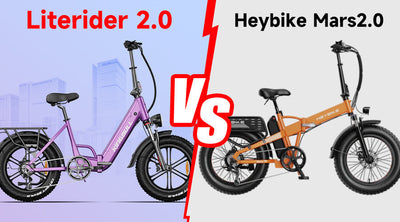
Folding E-Bike Showdown: Mars2.0 vs Literider2.0 — Which One Rides into Your Life Best?
Let’s face it — traffic’s a mess, gas prices are up, and parking? Don’t even get us started. That’s why folding electric bikes are having their moment. They’re compact, powerful, and perfect for both daily commutes and spontaneous weekend getaways.
Two crowd favorites currently making waves at the $999 price point are the Heybike Mars2.0 and the KINGBULL Literider2.0. On the surface, they may seem similar — but when you dig deeper, there are some key differences that could tip the balance depending on your lifestyle.
Let’s compare them side-by-side and help you find the ride that fits your rhythm.
Motor Power: Same Wattage, Different Confidence
Mars2.0 features a 750W motor.
Literider2.0 also sports a 750W motor — but it’s a Bafang brushless hub motor, a name trusted by riders and repair pros alike for its reliability and efficiency.
🟢 While both offer the same wattage, the use of a Bafang motor in the Literider2.0 gives it an edge in long-term performance and durability — especially on varied terrain.
Battery & Range: Who Goes the Distance?
Mars2.0 has a 600Wh battery, with a max range of up to 45 miles.
Literider2.0 steps it up with a 720Wh lithium-ion battery, boasting a range of up to 60 miles on a single charge.
🟢 If you're planning longer rides or hate charging frequently, Literider2.0 gives you the freedom to go further, worry-free.
Payload Capacity: One Size Fits… More
Mars2.0 has a maximum payload of 330 lbs.
Literider2.0 raises the bar with a payload of up to 380 lbs, offering more support for heavier riders or added cargo.
🟢 Whether you're a taller rider or like to carry gear, groceries, or even your pup in a basket, Literider2.0 gives you more flexibility and peace of mind.
Tires & Suspension: Smooth Rolling Ahead
Both models come equipped with 20"x4" fat tires, ideal for handling bumps, gravel, and uneven city roads.
Suspension-wise, Mars2.0 offers 65mm front travel, while Literider2.0 includes 50mm front suspension — slightly less, but more than enough for everyday comfort.
🟢 Both bikes can handle a range of terrains. Unless you’re tackling hardcore trails daily, the suspension difference won’t be a dealbreaker.
Battery Integration: Sleek or Swappable?
Heybike Mars2.0 features an external battery — easy to see, remove, and swap.
KINGBULL Literider 2.0 comes with a fully integrated battery, giving the bike a clean, modern look while offering better weather protection and theft resistance.
Now, while some might think “external = easier,” that’s not always true. Mars2.0’s battery is squeezed between the seat and rear rack, which isn’t exactly a grab-and-go spot. Literider 2.0, on the other hand, has a well-designed internal compartment that still allows for smooth battery removal when needed.
🟢 If sleek design, safety, and ease of use matter to you, Literider 2.0 stands out with its smartly integrated battery.
Braking System: Stop with Confidence
Mars2.0 uses mechanical disc brakes.
Literider2.0 is equipped with hydraulic disc brakes, offering stronger stopping power and better modulation — especially in rain or at higher speeds.
🟢 This is one of the most impactful upgrades on Literider2.0. Smooth, reliable braking is essential for city riding and downhill safety.
Other Specs at a Glance
Feature
Heybike Mars2.0
KINGBULL Literider2.0
Motor
750W
750W Bafang Motor
Battery
600Wh (External)
720Wh (Integrated)
Max Range
Up to 45 miles
Up to 60 miles
Payload Capacity
330 lbs
380 lbs
Tires
20"x4" fat tires
20"x4" CST tires
Suspension
65mm front suspension
50mm front suspension
Brakes
Mechanical disc brakes
Hydraulic disc brakes
Weight
75 lbs
71 lbs
Gear System
Shimano 7-speed
Shimano 7-speed
App Connectivity
Yes
No
Gift Pack
Front & Rear Basket
Mirror, Lock, Phone Mount, etc.
✅ Final Thoughts: Which E-Bike Deserves a Spot in Your Garage?
Choose Mars2.0 if:
You want app connectivity
Hope to get free baskets
Choose Literider2.0 if:
You need longer range and higher load capacity
You value stronger brakes and brand-name motor reliability
You prefer a lighter, sleeker design with an integrated battery
Safety, simplicity, and ride comfort are your priorities
In the End…
Both bikes bring serious value at under $1,000. But if you're looking for a folding e-bike that blends performance, comfort, safety, and subtle refinement, the KINGBULL Literider2.0 stands out as a smart, future-ready choice for urban explorers and everyday commuters alike.
Read more
Purchase Guide
Father's Day: Discover More, Ride Further, Live Better!
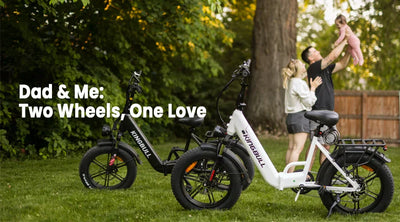
Struggling with what to get Dad this Father's Day? Another tie? A coffee mug? Or perhaps the usual grooming kit? If you're looking for a gift that will truly light up his eyes, reignite his passion, and even transform his lifestyle, then an electric bike is your ultimate choice!
An e-bike isn't just an upgrade in transportation; it's a promise of freedom, health, and unforgettable memories. It empowers dads to effortlessly overcome physical limitations, rediscover the joy of riding, and embark on thrilling new adventures.
Why an Electric Bike is the Perfect Father's Day Gift
No matter what type of dad you have, a quality e-bike can add vibrant new colors to his life:
1.For the "Adventure Seeker" Dad: Conquer the Unknown, Ride On!
Does your father dream of exploring distant trails or tackling those challenging inclines he once thought impossible? The kingbull Hunter 2.0, equipped with a powerful 750W motor, is precisely the "wings" he needs to make those dreams a reality.With electric assistance, he can effortlessly conquer rugged mountain paths, muddy forest trails, or picturesque country lanes. He'll no longer be limited by his physical stamina, free to explore at will, feel the wind's embrace, and discover nature's hidden beauty. This isn't just a journey; it's an invitation to reclaim youthful passion and vitality.
2.For the "Health-Conscious" Dad: Easy Workouts, Rejuvenated Energy!
We all wish our fathers good health and a long life, but high-intensity exercise can sometimes be daunting. The Literider 2.0 offers the perfect solution! It provides a gentle, low-impact workout while offering timely assistance whenever needed.This means Dad can enjoy the pleasure of cycling, easily boost cardiovascular health, and maintain muscle vitality without feeling overly fatigued. It's an enjoyable and sustainable way to stay fit, leaving him feeling refreshed and energetic every day.
3.For the "Family-First" Dad: Shared Moments, Lasting Memories!
The kingbull Voyager 2.0 is also a gift that brings families closer. Imagine this Father's Day: you, your dad, or even the whole family, cruising through parks, along greenways, or embarking on a short e-bike camping trip.These aren't just simple outings; they're golden opportunities to share laughter and create precious family memories. An e-bike allows family members of varying fitness levels to ride together with ease, turning outdoor activities into a shared family passion that strengthens bonds.
4.For the "Practical & Efficient" Dad: Smart Commuting, Eco-Friendly Miles!
For the dad who values practicality and efficiency, the Discover is an ideal commuting tool and everyday companion. Say goodbye to traffic jams, save on costly gas, and contribute to a greener planet all at once.It makes daily commutes and errands incredibly convenient and enjoyable. Whether it's heading to the office, picking up groceries, or taking a short trip, an e-bike offers a fast, quiet, and highly efficient solution.
Choosing the Perfect E-Bike for Dad
When picking an e-bike for your dad, it all comes down to his riding style and what he needs.
1.Loves hitting the trails? Go for the Hunter 2.0 with its fat tires and pro suspension. It'll make tackling tough terrain a breeze and truly ignite his adventurous spirit.
✅ 750W Brushless Hub Motor: Delivers powerful performance to effortlessly conquer mountains, steep inclines, and complex terrain.
✅ 26-inch All-Terrain Tires: Offer strong grip and adapt to diverse environments like off-road trails, forests, and open fields.
✅ Front Fork Suspension System: Features a MOZO hydraulic spring front fork with 80mm of travel for a smoother ride on bumpy roads.
✅ 55-Mile Ultra-Long Range: One charge is enough for a full day of adventure.
✅ Practical Rear Rack: Conveniently carry camping gear, backpacks, and other items, expanding its utility for all your adventures.
2.Mainly rides around town? The Discover commuter e-bike is a solid choice. It's lightweight, has a good range, and an agile frame for efficient, easy city rides.
✅ 750W Brushless Hub Motor: Delivers powerful, quiet acceleration and smooth starts, reaching top speeds of 28mph while balancing efficiency and city speed limits.
✅ 60-Mile Ultra-Long Range: One charge covers multiple days of commuting (real-world city tests show it easily handles daily round-trip needs).
✅ 26-inch Fat Tires: * All-terrain, puncture-resistant, wear-resistant material, ideal for city potholes and wet roads.
* Ultra-wide tread enhances grip and reduces bumps for a smoother, safer ride.
✅ Hydraulic Brake System: Provides sensitive braking, shortening stopping distances in emergencies and boosting city riding safety.
✅ 80mm Travel Front Fork Suspension: Absorbs road bumps, ensuring a comfortable ride even over speed bumps or rough patches.
✅ Shimano 7-Speed Gear System: Allows for precise shifting, effortlessly handling flat-road sprints and uphill climbs, giving you full control over your riding pace.
3.Needs to haul stuff or pick up the kids? The Voyager 2.0 is your go-to. Its heavy-duty design is super versatile, perfect for grocery runs, hauling gear, or even those sweet family rides to school, easily handling daily needs.
✅ 450 lbs Ultra-Strong Load Capacity: The frame features a high-carbon steel reinforced design, effortlessly carrying cargo, child seats, or small trailers to meet diverse needs like family shopping, moving, and transport.
✅ 750W Motor + 720Wh Samsung Battery: * Powerful peak torque output makes uphill climbs and hauling loads effortless. * Full charge range of 60+ miles means no frequent recharging for long-distance transport.
✅ Professional Cargo Configuration:
* Hydraulic Brake System: Provides sensitive braking in heavy-load scenarios, ensuring riding safety.
* Torque Sensor: Intelligently detects riding resistance and automatically adjusts assist output for easier riding with loads.
* Expandable Accessories: Supports installation of front/rear baskets, child seats, and trailer hitches, flexibly adapting to different loading scenarios.
4.Wants ultimate comfort and an all-terrain experience? The Jumper Go full-suspension frame delivers rock-solid stability at high speeds and razor-sharp handling across all terrains.
✅ Conquer Anything: Powered by an 80Nm Bafang 750W motor, it effortlessly climbs steep slopes and maintains power under heavy loads.
✅ Smooth Ride, Anywhere: The dual suspension system absorbs 90% of bumps, making rough terrain feel like flat ground.
✅ Epic Range: A 960Wh Samsung battery delivers up to 80 miles on a single charge, perfect for all-day adventures without recharging.
✅ Pro-Level Control: Equipped with Tektro 4-piston hydraulic brakes for instant stops and 20"x4.0" Kenda puncture-resistant tires for superior grip and safety on any terrain
5.Values portability and flexibility? The Literider2.0 features a smart folding design that's super convenient. It easily fits in a car trunk or on public transit, giving him total freedom to ride anywhere.
✅ 10-Second Fold: Stash it in your car trunk or hop on the subway—zero commute stress.
✅ 750W Motor + 60-Mile Range: Get powerful assistance for your ride, all-day battery life.
✅ Hydraulic Suspension + Puncture-Resistant Wide Tires: Glide over bumps like they're not even there; a stable, super safe ride.
✅ Four Trendy Colors: Looks cool, performs even better—be the standout on city streets.
Celebrate Dad: Our Father's Day E-Bike Event is On! 🚴
This Father's Day, give Dad the gift of adventure, freedom, and an unforgettable ride! Our special promotion runs from June 6th to June 18th
✨ Special Offers Just For Dad: ✨
Buy Any 2 E-Bikes, Get $200 OFF! Team up with Dad (or a friend!) and grab two bikes to instantly save $200 on your order. It's the perfect way to get out and ride together!
Voyager 2.0: Early Bird Special! Be one of the first to snag our powerful Voyager 2.0! Normally priced at $1399, you can grab it for an exclusive Early Bird Price of just $1299. Don't miss out on this fantastic deal for a top-tier ride.
This Father's Day, elevate his expectations. Give him more than just a present; give him the power to venture further, live healthier, and cherish every moment. A Kingbull e-bike isn't just transportation; it's his ticket to limitless adventure.
Shop now and make this Father's Day truly legendary!
Read more

Ebike Comparison
Full Suspension Showdown: KINGBULL Jumper Go vs. Mokwheel Obsidian
When it comes to full suspension electric bikes built for both thrill and utility, two models stand out: the KINGBULL Jumper Go and the Mokwheel Obsidian. Both promise a powerful, smooth ride with premium components—but which one really goes the distance for modern riders? Let's break it down.
Power & Range
Both bikes boast top speeds of up to 28 MPH and range estimates up to 80 miles, making them street-legal in most U.S. cities and capable for both commuting and weekend adventures. However, Jumper Go features a high-capacity Samsung battery rated at 960Wh, compared to the Obsidian's 19.6Ah battery. While both are in the same general range, the Samsung brand name and clear watt-hour listing provide additional assurance to riders focused on battery reliability and lifespan.
Pro Tip: The 960Wh capacity gives you longer, more consistent performance under heavier loads—great for riders carrying gear or riding on varied terrain.
Motor & Performance
Jumper Go is powered by a 750W BAFANG motor, a brand widely trusted in the e-bike world for its smooth torque and efficiency. While the Obsidian lists a continuous power output of 1000W, it’s worth noting that real-world performance isn’t always about raw numbers—motor quality, heat management, and tuning also play major roles. BAFANG motors are often praised for their balanced output and reliability over time.
Suspension & Ride Comfort
This is where riders can feel the difference. Both bikes offer full suspension, but they take slightly different approaches:
Jumper Go comes with a DNM rear air shock (50mm travel) and Zoom front suspension, which is designed for both stability and comfort.
The Obsidian features a Pro 50mm mid-mounted air shock and a 130mm suspension fork.
While Obsidian may appear to offer more front travel, the Jumper Go is finely tuned for urban and light off-road versatility—an excellent balance that avoids excessive bounce at high speeds or on paved surfaces.
Frame Design & Customization Options
Mokwheel Obsidian offers more visual and ergonomic customization, with three color options and two frame styles—step-over and step-through—making it easier for riders to match their style and body type.
In contrast, the KINGBULL Jumper Go is available in a step-through frame, making it especially accessible for riders of all heights and mobility levels. While it currently comes in a single, sleek color, its minimalist design and high-end finish appeal to those who prioritize clean lines and refined aesthetics.
Style vs. Simplicity: If you value personalized looks and frame variety, Obsidian delivers. But if you’re after a streamlined, ready-to-ride setup with fewer decisions to make, Jumper Go keeps it simple and elegant.
Practicality & Payload
One of Jumper Go's clear strengths is its practicality:
Integrated rear rack included by default—perfect for groceries, gear, or panniers.
Payload capacity up to 450 lbs, compared to 350 lbs on the Obsidian.
This makes Jumper Go especially attractive to delivery riders, commuters with cargo, or anyone needing extra capacity without compromising comfort or stability.
Everyday Edge: Obsidian doesn’t include a rear rack, which may require an aftermarket solution. Jumper Go is built with utility in mind—right out of the box.
Real-World Advantage: Higher payload capacity = more flexibility. Whether you're commuting with a laptop and lunch or hitting the trails with a backpack, Jumper Go doesn’t hold you back.
Gearing & Brakes
Both bikes are equipped with Shimano 8-speed drivetrains, offering smooth and predictable gear shifts. On braking, Jumper Go steps up with Tektro 4-piston hydraulic disc brakes, which typically provide stronger and more consistent stopping power than the 2-piston setup seen in many competitors.
Tire & Wheel Setup
Jumper Go opts for compact and versatile 20" x 4.0" Kenda tires, ideal for quick acceleration and nimble handling—especially in urban environments or light trails. Meanwhile, Obsidian uses 26" x 4.0" tires, which provide a more traditional mountain bike feel but can be less agile in tight spaces.
Price: The Deal Breaker?
Here’s the clincher:
Mokwheel Obsidian: $2,199
KINGBULL Jumper Go: $1,999
That’s a $200 difference—enough to cover a helmet, lock, and even a set of panniers. Considering Jumper Go includes a rack and offers higher payload, the value proposition becomes hard to ignore.
✅ Final Verdict: What’s Right for You?
Feature
Mokwheel Obsidian
KINGBULL Jumper Go
Price
$2,199
$1,999
Color Options
3
1
Frame Styles
Step-Over / Step-Through
Step-Through only
Rear Rack
❌ Not included
✅ Included
Payload Capacity
350 lbs
450 lbs
Battery
19.6Ah
Samsung 960Wh (20Ah)
Motor
1000W
750W BAFANG
Brakes
Hydraulic (2-piston)
Tektro 4-piston
Final Thoughts
If you're looking for more customization and classic MTB styling, Obsidian might be for you. But if you want a bike that's ready to go, loaded with utility, and offers better value at a lower price, the KINGBULL Jumper Go stands out—especially for everyday riders who want power, practicality, and peace of mind.
Sometimes, less flash and more function is the smarter ride.
Read more
Tips & Cycling Knowledge
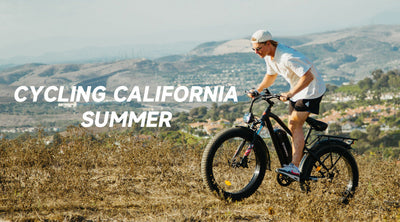
California Summer Cycling Guide: 5 Scenic Routes You’ll Want to Ride
When summer arrives, California transforms into a cyclist’s paradise. From coastal highways to mountain valleys, from lush city parks to iconic national parks, the Golden State offers a little something for every kind of rider. Whether you're a weekend cruiser or a long-distance adventurer, there's a trail out there waiting for you.
Here are five handpicked summer cycling routes—each one packed with views, fresh air, and the kind of freedom only a good ride can bring:
🚴 1. Golden Gate Bridge to Sausalito
A true classic. Start from San Francisco, ride across the Golden Gate Bridge with sweeping views of the Bay, and end your journey in the charming town of Sausalito. You can even take a ferry back for a relaxing finish to your day.
Route Highlights: Ocean breeze, stunning views, great for city explorers and casual riders.
🌲 2. Yosemite Valley Bike Path
Ride through towering granite cliffs, under waterfalls, and along peaceful meadows inside Yosemite National Park. Dedicated bike paths keep you away from heavy traffic and deep in nature. Best enjoyed early in the morning or around sunset for quieter, cooler conditions.
Route Highlights: Fresh air, immersive natural beauty—perfect for those looking to slow down and disconnect.
🏖️ 3. Santa Barbara Coastal Route
Cycle along Cabrillo Boulevard with the Pacific Ocean on one side and palm-lined streets and Spanish-style buildings on the other. It’s a mellow, feel-good ride. Bonus: the sunsets here are unforgettable.
Route Highlights: Relaxed pace, postcard views—great for beginners or anyone craving a chill ride.
🌄 4. Griffith Park Loop, Los Angeles
Looking for nature without leaving the city? Griffith Park offers just that. The route includes scenic roads, a few solid climbs, and views of the Hollywood sign. Ride up to the Griffith Observatory for a real payoff.
Route Highlights: Urban meets wilderness; a bit challenging, but totally worth it.
🌅 5. Bayshore Bikeway, San Diego
This loop route is ideal for a full-day adventure. Cruise past Coronado Island and along the San Diego waterfront on mostly dedicated bike paths. Flat terrain makes for easy riding, with plenty of scenic spots to stop and enjoy.
Route Highlights: Smooth, scenic, and versatile—perfect for an all-day cruise.
✅ Tips to Make Your Summer Ride More Enjoyable:
Ride early or late to avoid the midday heat.
Don’t forget sun protection—a good pair of sunglasses, sunscreen, and breathable clothing go a long way.
Stay hydrated and bring light snacks for longer routes.
Consider an electric bike, especially for routes with hills or in hot weather. A good e-bike can help you ride farther, climb easier, and enjoy the journey without overexerting.
One Last Thought
Riding isn’t just about reaching a destination—it’s about the moments in between. The unexpected turns, the wind in your face, the view that makes you stop and just breathe. If you’re looking for a little more freedom this summer, maybe it’s time to grab your ebike and explore what California has waiting for you.
Read more

Ebike Comparison
Off-Road E-Bike Showdown: Himiway D7 vs. KINGBULL EX Titan — Which One Truly Delivers?
When it comes to conquering trails, sand, snow, and everything in between, choosing the right off-road e-bike can make all the difference. Two powerful contenders in this space are the Himiway D7 and the Kingbull EX Titan. While both promise range and performance, a closer look reveals some key differences that might make one a better fit for your riding style, budget, and terrain.
Let’s dive into the details.
Battery & Range: It’s Not Just About Miles—It’s About Trust
Himiway D7: Equipped with a 960Wh Samsung/LG battery, offering solid range for longer rides.
KINGBULL EXTITAN: Features a 960Wh Samsung battery—using only high-grade Samsung cells known for superior reliability and safety.
Why it matters:Not all batteries are created equal. EX Titan’s choice to stick exclusively with Samsung-branded cells means you're getting proven performance and peace of mind—especially important when you’re far from home, pushing through unpredictable terrain.
Motor Power: Finding the Right Balance
D7: 1000W motor for robust power delivery.
EXTITAN: Outfitted with a 750W BAFANG motor, delivering smooth, responsive torque and trusted efficiency.
While 1000W may sound stronger on paper, BAFANG's 750W system is globally recognized for its intelligent power management and refined control, making EX Titan a joy to ride across long distances and varying terrain.
Braking Power: Safety Comes First—Always
D7: Tektro 2-piston hydraulic brakes.
EXTITAN: Upgraded to Tektro 4-piston hydraulic brakes for superior stopping power and modulation.
When you’re bombing down hills or navigating through muddy slopes, your brakes are your best friend. EX Titan ’s 4-piston setup gives you more stopping confidence and better control, especially under high loads or steep descents.
Suspension & Comfort: Built for Real-World Trails
Front Fork:
D7: DASH-AIR-20 inverted air fork.
EX Titan: ZOOM 879DH coil-spring fork – sturdy, reliable, and easier to maintain.
Rear Shock: Both bikes use DNM rear shocks.
Whether you're climbing rocky paths or rolling through forest trails, EX Titan’s suspension setup is tuned for durability and ride comfort, especially in long-haul or multi-surface riding.
Tires & Payload: Grip, Float, and Carry More
D7: CST 26" x 4.5" fat tires.
EX Titan: Kenda 26" x 4.0" fat tires—lighter, more responsive, and still plenty wide for sand, snow, or trail.
Payload:
D7: 400 lbs max capacity.
EX Titan: 450 lbs max capacity.
With a higher payload and lighter tire setup, EX Titan is perfect for riders who carry extra gear or simply want a more agile feel.
Weight & Speed: Go Lighter, Ride Smarter
D7 Weight: 88.6 lbs
EX Titan Weight: 84 lbs – noticeably lighter and easier to maneuver.
EX Titan Top Speed: Up to 28 MPH (Class 3)
That weight difference may not sound like much, but on rough terrain or tight trails, you’ll feel it. Combined with its Class 3 speed capability, EX Titan gives you the edge when it comes to agility and thrill.
Price: Performance Without the Premium Price Tag
Himiway D7: $2,699
KingbullL EX Titan: Only $1,999 (limited-time early bird price)
That's a $700 savings—with no compromise on the essentials. In fact, you’re getting premium components where it matters most: battery brand, braking system, and ride quality.
🔎 Final Verdict: Which E-Bike Is Right for You?
Category
Best Pick
Raw motor power and air fork feel
Himiway D7
Lighter weight, better brakes, reliable Samsung battery, higher payload, better value
Kingbull EX Titan ✅
Ready to Ride?
If you’re looking for a well-rounded, high-performing off-road e-bike that doesn’t break the bank, the KingbullL EX Titan deserves a spot at the top of your list.
Read more


